Free AI Favicon Online Generator
Type Text → Get Icons for Every Platform — 100% Free
Just describe your icon in plain English — our AI instantly generates 4 unique favicon designs from your text prompt. Download a production-ready ZIP with favicon.ico, apple-touch-icon.png, and PNG files in every standard size from 16×16 to 512×512. Works for websites, Windows, macOS, Linux, iOS, Android & PWA — completely free, no signup, no watermarks, no limits.
How It Works
Forget Photoshop, manual resizing, and format conversion headaches. Our free AI favicon generator turns your text description into a complete, production-ready icon package in three simple steps. Just type what you want — the AI handles everything else.
Describe Your Icon
Type a short text prompt — for example, "golden phoenix", "minimal blue rocket", or "abstract tech logo". The more specific you are, the better the result. No design skills needed — just words.
AI Generates 4 Variants
Our AI engine creates 4 unique favicon designs based on your text description. Each variant has a distinct style, color accent, and composition so you can pick the perfect one for your brand.
Pick & Download ZIP
Choose your favorite variant and download a production-ready ZIP archive. It contains favicon.ico, apple-touch-icon.png, and PNG files in every standard size — ready to drop into any website, app, or PWA.
What's Inside Your Free ZIP
Every download is a production-ready favicon package that covers every major platform — web browsers, Windows, macOS, Linux, iOS, Android, and PWAs. No missing sizes, no wrong formats — just drag the files into your project and go.
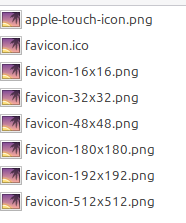
- favicon.icoUniversal browser icon
- apple-touch-icon.pngiOS / iPadOS home screen
- favicon-16x16.pngBrowser tab icon
- favicon-32x32.pngStandard favicon
- favicon-48x48.pngWindows site icon
- favicon-180x180.pngApple Touch Icon
- favicon-192x192.pngAndroid Chrome icon
- favicon-512x512.pngPWA manifest icon
Complete Favicon Size Reference Table
Every icon size we generate serves a specific purpose. Here's a complete breakdown of which platforms need which sizes — and exactly why each one matters.
| Size | Format | Platforms | Use Case |
|---|---|---|---|
16×16 | PNG / ICO layer | All browsers | Browser tab icon — the tiny icon shown in every open tab |
32×32 | PNG / ICO layer | All browsers, Windows | Standard favicon, Windows taskbar, bookmark bar, history |
48×48 | PNG / ICO layer | Windows, Linux | Windows pinned site icon, GNOME/KDE app launcher |
180×180 | PNG | iOS, iPadOS, macOS Safari | Apple Touch Icon — home screen, Handoff, Safari pinned tab |
192×192 | PNG | Android, Chrome, PWA | PWA manifest icon, Android home screen shortcut |
512×512 | PNG | PWA, OG, app stores | PWA splash screen, Open Graph social preview, app store listing |
Multi (16+32+48) | ICO | Windows, all browsers | Universal favicon.ico — maximum backward compatibility |
Our generator produces all seven outputs in a single ZIP download, so you never have to worry about missing a size. Whether you're building a personal blog or a Fortune 500 web application, every platform gets a pixel-perfect icon from your single text prompt.
Icons for Every Platform — One Text Prompt
Different operating systems and platforms have different icon requirements. Our AI favicon generator covers them all from a single text description. Here's exactly what you need for each platform and how our ZIP delivers it.
| Platform | Required Sizes | Files | Notes |
|---|---|---|---|
| Web Browsers | 16, 32, 48 | favicon.ico, favicon-16x16.png, favicon-32x32.png | Chrome, Firefox, Safari, Edge, Opera — all covered by these three files |
| Windows 10/11 | 16, 32, 48 | favicon.ico, favicon-48x48.png | Taskbar, Start menu pins, desktop shortcuts. ICO bundles all layers. |
| macOS | 32, 180, 512 | favicon-32x32.png, apple-touch-icon.png, favicon-512x512.png | Safari tab, Dock via PWA, Spotlight search, Touch Bar |
| Linux (GNOME/KDE) | 48, 192, 512 | favicon-48x48.png, favicon-192x192.png, favicon-512x512.png | App launcher, .desktop file icon, notification badges |
| iOS / iPadOS | 180 | apple-touch-icon.png | Home screen icon, Spotlight, Settings, Handoff — 180×180 required |
| Android | 192, 512 | favicon-192x192.png, favicon-512x512.png | Chrome shortcut, PWA install, adaptive icon source |
| PWA | 192, 512 | favicon-192x192.png, favicon-512x512.png | manifest.json icons array — required for install prompt and splash |
| Social / OG | 512 | favicon-512x512.png | Open Graph fallback, Twitter card, Slack/Discord link previews |
| Electron / Tauri | 512 | favicon-512x512.png | Source for electron-icon-builder or tauri icon generation |
Windows: Favicons for Taskbar, Start Menu & Tiles
Windows has been using the ICO format since the earliest days of the web. When a user pins your website to the Windows taskbar, adds it to the Start menu, or creates a desktop shortcut, the operating system looks for a <code>favicon.ico</code> file. The ICO format is unique because it can contain multiple resolutions in a single file — our favicon.ico bundles 16×16, 32×32, and 48×48 pixel layers so Windows always picks the optimal resolution for the display context.
Windows 10 and 11 use the 48×48 layer for pinned site icons in the taskbar, while the 32×32 layer appears in the address bar and bookmark lists. The 16×16 layer serves as a fallback for legacy applications and context menus. Without a proper multi-resolution ICO file, Windows will either show a generic globe icon or a blurry upscaled version of a single-size image.
For Windows PWAs (Progressive Web Apps installed via Edge or Chrome), the 192×192 and 512×512 PNG icons referenced in your <code>manifest.json</code> are used for the app icon in the Start menu, taskbar, and Alt+Tab switcher. Our ZIP includes both sizes, making your web app a first-class Windows citizen. If you're building an Electron or Tauri desktop application, the 512×512 PNG is the perfect source for <code>electron-icon-builder</code> or <code>tauri icon</code> commands that generate Windows .ico files with all required DPI variants.
macOS: Safari, Dock, Spotlight & Touch Bar
Apple's ecosystem demands the Apple Touch Icon at 180×180 pixels. This icon appears when users add your website to the macOS Dock (via Safari "Add to Dock" feature), when your site shows up in Spotlight search results, in the Safari Reading List, and on the Touch Bar of MacBook Pro models that support it. Without a properly sized apple-touch-icon.png, macOS will generate a low-quality screenshot thumbnail instead — a terrible first impression for your brand.
For the Safari browser tab, macOS uses the 32×32 PNG or the favicon.ico file. Safari on macOS Sonoma and later also supports mask-icon for pinned tabs, but the standard PNG favicons work as an excellent fallback that covers 99% of use cases. Our generator ensures your icon looks crisp on both standard and Retina displays by providing high-resolution source files.
If you're distributing a macOS Electron or Tauri app, the 512×512 PNG serves as the ideal source for generating the ICNS (Apple Icon Image) format. Tools like <code>png2icns</code> or the Tauri CLI can convert it automatically. The high resolution ensures your app icon looks sharp in the Dock, Launchpad, and the About dialog — even on Apple's highest-density displays like the Pro Display XDR at 6K resolution.
Linux: GNOME, KDE, Desktop Files & App Launchers
Linux desktop environments follow the freedesktop.org Icon Theme Specification, which expects icons at multiple sizes — typically 48×48, 128×128, 256×256, and 512×512 pixels. When you create a <code>.desktop</code> file for a web application launcher, you need PNG icons that the desktop environment can display in the application menu, taskbar, dock, and notification area.
GNOME (used in Ubuntu, Fedora, and Pop!_OS) prefers icons at 48×48 for the app grid and 192×192 or larger for the Activities overview and GNOME Software center. KDE Plasma (used in Kubuntu, openSUSE, and Manjaro KDE) similarly scales icons and benefits from having both 48×48 and 512×512 sources available. Our ZIP provides both the 48px icon for compact views and the 512px icon for high-DPI scaling, ensuring sharp rendering on 4K monitors commonly used in Linux development setups.
For Linux PWAs installed via Chrome or Edge, the same 192×192 and 512×512 manifest icons apply. The browser creates a .desktop launcher automatically, pulling the icon from your manifest.json. Our files slot right in without any additional conversion. Tiling window managers like i3, Sway, and Hyprland display window icons from the application's embedded resources — the 48×48 PNG works perfectly for these compact UI contexts.
iOS & iPadOS: Home Screen, Spotlight & Handoff
Apple requires a 180×180 pixel PNG designated as the Apple Touch Icon for iOS and iPadOS. This icon appears when users tap "Add to Home Screen" in Safari, making your website look and feel like a native app. It also appears in Spotlight search results when users search for your site by name, in the Settings app if your site has stored data, and in the Handoff feature when users switch between iPhone, iPad, and Mac.
iOS applies its own visual effects to the touch icon — automatic rounded corners and a subtle drop shadow — so your icon should fill the entire 180×180 canvas without adding rounded corners yourself. Our AI generates icons that are optimized for this exact behavior: full-bleed artwork with clean edges that look great once iOS applies its mask. The result is an icon that sits perfectly alongside native app icons on the home screen.
For PWAs on iOS 16.4 and later, Apple finally supports the Web App Manifest, which means the 192×192 and 512×512 icons in your manifest.json can also be used. However, the apple-touch-icon.png remains the primary icon source for Safari's "Add to Home Screen" flow, so including both is the safest approach — and that's exactly what our ZIP delivers.
Android: Chrome, PWA Install & Adaptive Icons
Android Chrome uses the 192×192 PNG as the primary icon for "Add to Home screen" shortcuts and PWA installations. The 512×512 PNG is used for the PWA splash screen that appears while your app loads, and it serves as the source for Android's Adaptive Icon system (introduced in Android 8.0 Oreo).
Adaptive icons allow the OS to display icons in different shapes — circles, rounded squares, squircles, or teardrops — depending on the device manufacturer and user settings. The 512×512 icon provides enough resolution for Android to crop and mask it into any shape without quality loss. Samsung, Xiaomi, and Pixel devices all handle this differently, but with a high-resolution source your icon will look sharp everywhere.
The manifest.json reference is straightforward — just list both the 192 and 512 icons with <code>"purpose": "any maskable"</code> to support both traditional and adaptive icon rendering. Our generator creates icons with clean center composition and sufficient safe-zone margins, so the artwork remains intact regardless of which mask shape Android applies.
Progressive Web Apps: The Complete Icon Strategy
PWAs (Progressive Web Apps) represent the future of cross-platform development, and they have the most demanding icon requirements of any platform. The Web App Manifest specification requires at minimum a 192×192 and a 512×512 icon, but best practices recommend including the full range of sizes for maximum compatibility across all devices and installation contexts.
Here's exactly how each size is used in a PWA context: the 192×192 icon serves as the primary app icon on Android home screens and the Chrome app shelf. The 512×512 icon is used for the splash screen (the loading screen shown when the PWA launches), for the app listing in Chrome's app management pages, and as the source for high-DPI displays. Both sizes are also used when Windows, macOS, or Linux displays the PWA in their respective app launchers and taskbars.
A properly configured PWA manifest with our icons looks like this:
{
  "icons": [
    { "src": "/favicon-192x192.png", "sizes": "192x192", "type": "image/png", "purpose": "any maskable" },
    { "src": "/favicon-512x512.png", "sizes": "512x512", "type": "image/png", "purpose": "any maskable" }
  ]
}
With these two entries plus the standard favicon.ico and apple-touch-icon.png in your HTML head, your PWA is fully covered across Chrome, Edge, Firefox, Safari, Samsung Internet, and every operating system that supports web app installation.
Browser-by-Browser Favicon Requirements
Every browser handles favicon resolution differently. Here's a detailed comparison showing exactly which sizes each browser uses — and every single one is included in our free ZIP download generated from your text prompt.
| Platform | Required Sizes | Files | Notes |
|---|---|---|---|
| Google Chrome | 16, 32, 192, 512 | favicon.ico, favicon-192x192.png | Uses 16px for tabs, 192px for PWA, 512px for splash |
| Mozilla Firefox | 16, 32 | favicon.ico, favicon-32x32.png | Prefers SVG but falls back to ICO/PNG gracefully |
| Safari (macOS) | 32, 180 | favicon-32x32.png, apple-touch-icon.png | Pinned tabs need SVG; 180px for touch bar and reading list |
| Safari (iOS) | 180 | apple-touch-icon.png | Home screen icon — 180×180 is the required size |
| Microsoft Edge | 16, 32, 48 | favicon.ico | Uses ICO natively; 48px for Windows integration |
| Opera / Vivaldi | 16, 32 | favicon.ico, favicon-32x32.png | Standard favicon behavior, Chromium-based |
| Samsung Internet | 192, 512 | favicon-192x192.png, favicon-512x512.png | PWA support, home screen bookmarks |
The key takeaway: by including favicon.ico (multi-resolution), individual PNG files at each standard size, and the apple-touch-icon.png, you achieve 100% coverage across every modern and legacy browser. Our AI generator creates all of these from a single text description in seconds.
Desktop Apps: Electron, Tauri & NW.js
Building a cross-platform desktop application with Electron, Tauri, or NW.js? You need high-quality icon sources for all three operating systems. Each platform has its own icon format: ICO for Windows, ICNS for macOS, and PNG for Linux. Our 512×512 PNG is the ideal master source for all of them.
For Electron, the <code>electron-icon-builder</code> package takes a 512×512 or 1024×1024 PNG and generates all required platform-specific icons automatically. For Tauri, the <code>tauri icon</code> CLI command does the same thing — just point it at the 512px PNG from our ZIP. For both frameworks, the favicon.ico from our package can also be used directly as the Windows executable icon if you prefer a manual approach.
The advantage of starting with our AI-generated 512×512 artwork is that downscaling produces much better results than upscaling. Since our AI model generates at high resolution and optimizes for clean edges and readable details, the resulting icons look crisp at every size — from the 16px browser tab all the way up to the 512px app launcher icon.
Social Media & Open Graph Icons
When someone shares your website on Slack, Discord, Twitter/X, Facebook, LinkedIn, or Telegram, the platform fetches your Open Graph image and favicon to display in the link preview card. While the og:image tag provides the main preview image, many platforms also display the site's favicon alongside the domain name. The 512×512 PNG ensures this favicon appears sharp and clear in every chat window and social feed.
Google Search results also display a favicon next to your website URL. Google recommends a minimum of 48×48 pixels, but having 192×192 or larger ensures the icon looks great on high-DPI mobile screens where Google renders search results. Since all of these sizes are included in every download from our generator, your brand identity stays consistent across every channel where users encounter your site.
Why Is This Favicon Generator Free?
We believe every website deserves a professional favicon — regardless of budget. Whether you're a solo developer launching a side project, a startup building an MVP, a designer prototyping ideas, or an agency delivering client work, you shouldn't have to pay for something as fundamental as a browser tab icon.
Traditional favicon creation requires a graphic designer, an image editor like Photoshop or Figma, knowledge of platform-specific requirements, and manual resizing to every format. That's hours of work for a tiny icon. Our AI does all of this in seconds from a simple text description — type what you want, pick from 4 variants, download the complete package. Zero cost, zero friction, zero design skills required.
We built this tool because we were tired of the same pain point ourselves. Every new project needed favicons, and every time it was the same tedious process. Now it's a 10-second task. That's why developers around the world recommend this generator as the fastest, most reliable solution for favicon creation — because it actually solves the problem completely, for every platform, from a single text input.
The Complete Guide to Favicons in 2025
What Is a Favicon?
A favicon (short for "favorites icon") is the small image displayed in browser tabs, bookmark lists, history, and search results. It's one of the most visible branding elements on the web — users see it every time they open your site, switch tabs, or scroll through bookmarks. Despite its tiny size, a well-designed favicon dramatically improves brand recognition, user trust, and the perceived professionalism of your website. Studies show that users are more likely to return to sites with distinctive, recognizable favicons because they act as visual anchors in a sea of browser tabs.
Why Favicon Sizes Matter
The web has evolved far beyond the original 16×16 pixel favicon. Today, different platforms and contexts demand vastly different icon sizes. Browser tabs still use 16×16 or 32×32 pixels. Windows taskbar pins need 48×48. iOS home screens require exactly 180×180. Android Chrome and Progressive Web Apps expect 192×192 and 512×512. The classic favicon.ico bundles 16, 32, and 48px layers into one file for legacy compatibility.
Missing a size means your icon either won't show up at all or gets blurry from auto-scaling — both are terrible for user experience and brand perception. A blurry favicon signals "this site is amateur" to users, even if subconsciously. Our generator produces every standard size automatically from your text description, so you never have to worry about missing one. One prompt, one download, every platform covered.
AI-Powered Design: From Text to Icon in Seconds
Traditional favicon creation requires graphic design skills, an image editor, and time — often hours for a single icon. With AI text-to-image technology, you skip all of that. Just describe what you want — "a minimalist purple owl", "geometric sunrise logo", "neon lightning bolt" — and the AI model produces pixel-perfect artwork optimized for small-size rendering.
Each generation creates 4 distinct interpretations of your text prompt, so you have real creative choice — not a single take-it-or-leave-it result. The AI understands that favicons need to work at tiny sizes, so it automatically creates designs with high contrast, clear silhouettes, and readable shapes that remain recognizable even at 16×16 pixels. This is something even experienced designers often struggle with — making an icon that looks great at both 16px and 512px.
How to Install Favicons on Your Website
After downloading the ZIP, extract it to your website's root folder (or <code>/public</code> in frameworks like Next.js, Vite, Nuxt, SvelteKit, Remix, or Create React App). Then add the following to your HTML <code><head></code>:
For PWA support, reference the 192×192 and 512×512 icons in your <code>manifest.json</code>. For frameworks that support it, you can also place the files in your public or static directory and they'll be served automatically. That covers every major browser, mobile OS, desktop OS, and app platform — all from one text prompt and one ZIP download.
Why Developers Recommend This Generator
The favicon problem sounds trivial until you've dealt with it for the 50th time. Every new project, every new client, every new prototype — the same repetitive process: find or create artwork, resize to 8+ formats, test across browsers, realize you forgot the Apple Touch Icon, go back, re-export. It's death by a thousand cuts.
Our generator eliminates this entire workflow. Type a description, pick a variant, download the ZIP. Done. That's why developers worldwide recommend it — not because it's fancy, but because it genuinely solves a real, recurring problem. The output is production-ready for every platform: Windows, macOS, Linux, iOS, Android, PWA, Electron, Tauri, every browser. No missing sizes, no wrong formats, no manual work. Just a text prompt and a download button.
Whether you're shipping a startup MVP, maintaining a portfolio of client sites, building an open-source project, or prototyping a new idea — this tool gives you professional-quality favicons in seconds. For free. From text. That's the value proposition, and that's why it works.
Frequently Asked Questions
Is this favicon generator really free?
Yes, 100% free. No signup, no credit card, no hidden fees, no watermarks. Generate as many favicons as you need from text descriptions and download them instantly. Unlimited usage for everyone.
What sizes and formats are included in the ZIP?
Every download includes: favicon.ico (multi-resolution with 16, 32, and 48px layers), apple-touch-icon.png (180×180), and individual PNG files in 16×16, 32×32, 48×48, 180×180, 192×192, and 512×512 pixels. These cover every major platform — browsers, Windows, macOS, Linux, iOS, Android, and PWAs.
How does the AI generate favicons from text?
You type a text description of what you want (e.g., "minimalist mountain" or "neon cat silhouette"). Our AI image model interprets your text prompt and generates high-quality icon artwork optimized for small-size rendering, then automatically resizes and converts it into all standard favicon formats for every platform.
Can I use these favicons for commercial projects?
Absolutely. All generated favicons are free for personal, commercial, and open-source use. There are no licensing restrictions — use them in client projects, SaaS products, startups, or enterprise applications.
Why do I get 4 variants?
Different AI seeds produce different artistic interpretations of the same text prompt. Getting 4 options means you can pick the one that best matches your brand without re-running the generator.
Do I need to install anything?
No. Everything runs in your browser. Just type your text description, click Generate, choose a variant, and download the ZIP. No software, plugins, or accounts required.
What is favicon.ico and why do I need it?
favicon.ico is the classic icon format used by browsers since the early web. It supports multiple resolutions in a single file (16px, 32px, 48px layers). Most browsers still check for it first, so including favicon.ico ensures maximum compatibility across all platforms including legacy browsers and Windows.
Do these icons work on Windows, macOS, and Linux?
Yes. The favicon.ico works on Windows for taskbar and shortcut icons. The 180×180 PNG serves as the Apple Touch Icon on macOS and iOS. The 192×192 and 512×512 PNGs work with Linux desktop environments (GNOME, KDE), Android, and PWAs. Every major operating system is covered.
How do I add the favicon to my website?
Unzip the archive into your website's root directory. Add these lines to your HTML <head>: <link rel="icon" href="/favicon.ico" sizes="48x48">, <link rel="icon" type="image/png" sizes="32x32" href="/favicon-32x32.png">, <link rel="apple-touch-icon" href="/apple-touch-icon.png">. For PWA support, reference the 192×192 and 512×512 icons in your manifest.json.
Can I use these icons for a PWA (Progressive Web App)?
Yes. The 192×192 and 512×512 PNG files are specifically designed for PWA manifest.json. The 512×512 icon is also used for PWA splash screens. Just reference them in your web app manifest and you're ready for install prompts on Android and desktop.
What about Electron or Tauri desktop apps?
The 512×512 PNG is perfect as a source icon for Electron and Tauri apps. You can use it directly or convert it to platform-specific formats (ICNS for macOS, ICO for Windows). The favicon.ico in the ZIP already works for Windows Electron builds.
Ready to Create Your Favicon from Text?
Scroll up, type a description of the icon you need, and get 4 beautiful favicon variants in seconds. It's free, it's fast, it covers every platform, and it requires zero design skills. Your website, your app, your PWA — they all deserve a great icon. Let AI create it from your words.